Download & Start Playing
Windows
The primary, fully supported platform.
Download the launcher
Click the Download for Windows button. The launcher is approximately 162 MB. The game itself (~13.0 GB) downloads automatically after you select the folder you want the client to be in.
Run the launcher
Extract or run the downloaded file. If Windows Defender flags it, click "More info" → "Run anyway". We'd have to pay Microsoft a large amount of money per year for a license to prevent this, so it's just not feasible.
Register your account
Create an account on the Register page, then use it to log in to the launcher.
Launch and play
Open the Lith launcher and select the folder you wish for the game to be downloaded to. After this just "Update" and "Launch"!
Troubleshooting
The launcher crashes on startup.
Ensure you have the latest Visual C++ Redistributable installed and that your antivirus isn't blocking the executable. Add the Lith folder to your AV exclusions if needed.
I can't connect to the server.
Check the announcements page for scheduled maintenance or outages. If the server is up, check that your firewall isn't blocking the game ports.
Still stuck?
Join our Discord server and open a support ticket in the #support channel. Our team usually responds within a few hours.
macOS
Native launcher for Apple Silicon. No extra software needed.
- Apple Silicon (M1 or newer) only. Intel Macs aren't supported for now.
- First launch takes a few minutes. The launcher downloads a one-time runtime (about 150 MB) and sets it up before the game starts. This only happens once, so just let it finish.
- If you get stuck, ask in Discord.
Recommended: install script
Paste this into Terminal. It installs the launcher for you without tripping macOS's false "damaged app" warning. No manual steps needed.
curl -fsSL https://lith.cat/install-mac.sh | shPrefer to see what it does first? The script is short and readable at lith.cat/install-mac.sh.
Or download the .dmg manually
Open the .dmg and drag Lith Launcher into your Applications folder, then follow these steps the first time you launch it:
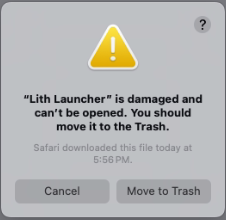
Open the app, then click Cancel
macOS will claim the app "is damaged and can't be opened". It isn't: Apple shows this for any app whose developer doesn't pay them $99/yr. Click Cancel, not "Move to Trash".
Clear the quarantine flag in Terminal
Open Terminal (Applications → Utilities, or Spotlight search) and paste this command, then press Return:
xattr -cr "/Applications/Lith Launcher.app"
Reopen Lith Launcher
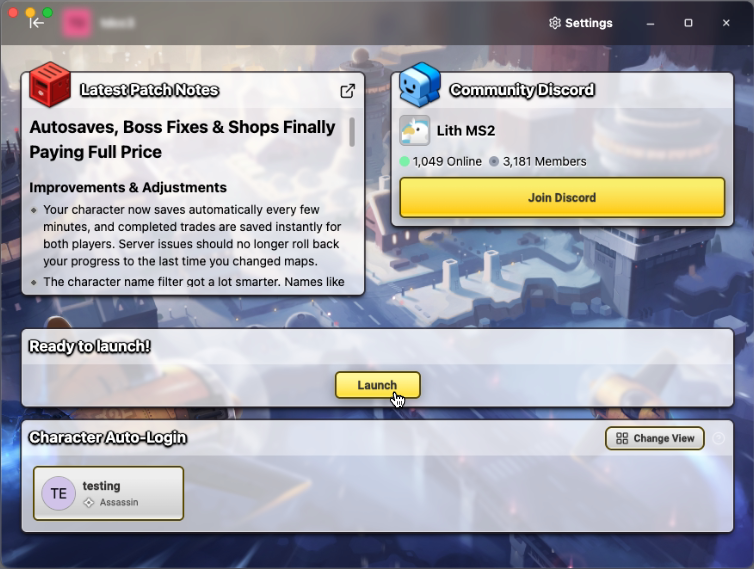
Open the launcher again from your Applications folder. It will start normally this time.
Linux
Native launcher. The game runs through Proton, set up automatically on first launch.
Requires umu-launcher (preinstalled on Bazzite and most gaming distros, available in most package managers). First launch downloads the Proton runtime, so it takes a few extra minutes. For setup help, join our Discord server.